Edit a lot of spreadsheets?See what WebCSV can do for you
The best way to edit your spreadsheets. Check out just a few of our nicer features below!
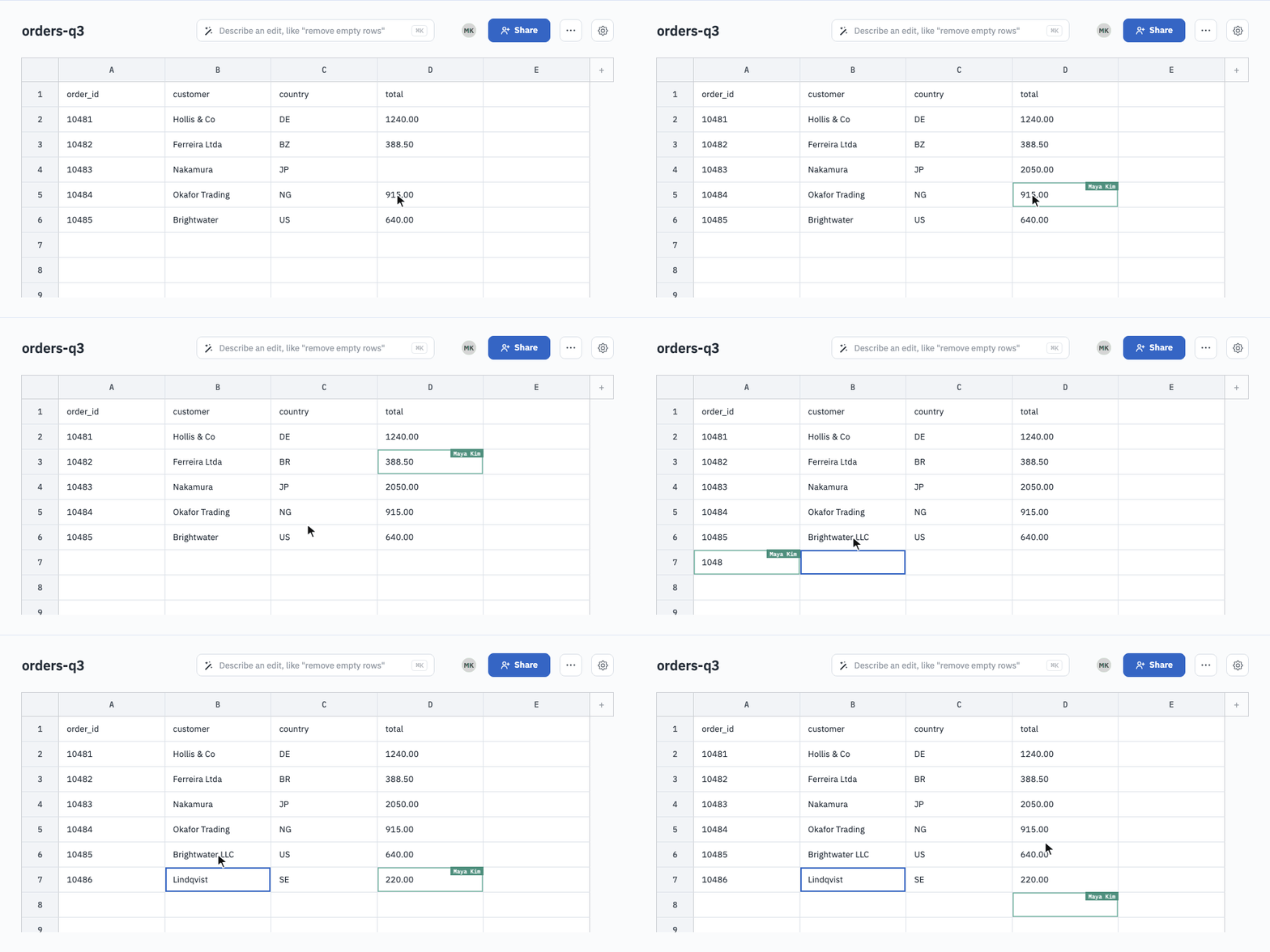
Everyone on the same sheet, at the same moment
Share a link and edit together. Every keystroke lands for everyone instantly, with no merge step, no "who has the latest copy", no emailing files back and forth.
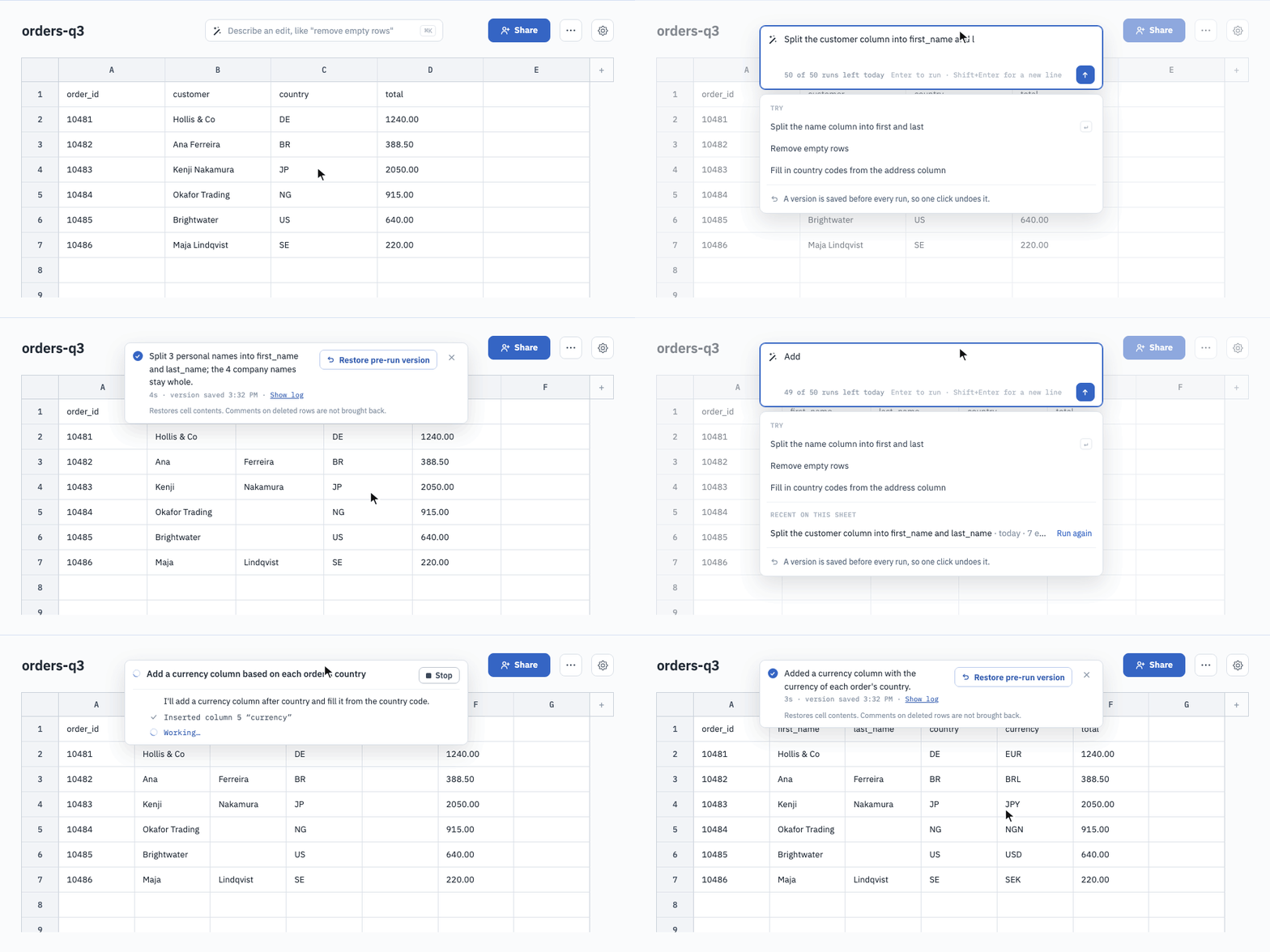
Describe the change. The AI edits the sheet.
"Split full names into first and last." "Fill in missing country codes." "Drop duplicate rows." The Magic Tool applies the edit live, and saves a version first so nothing is ever lost.
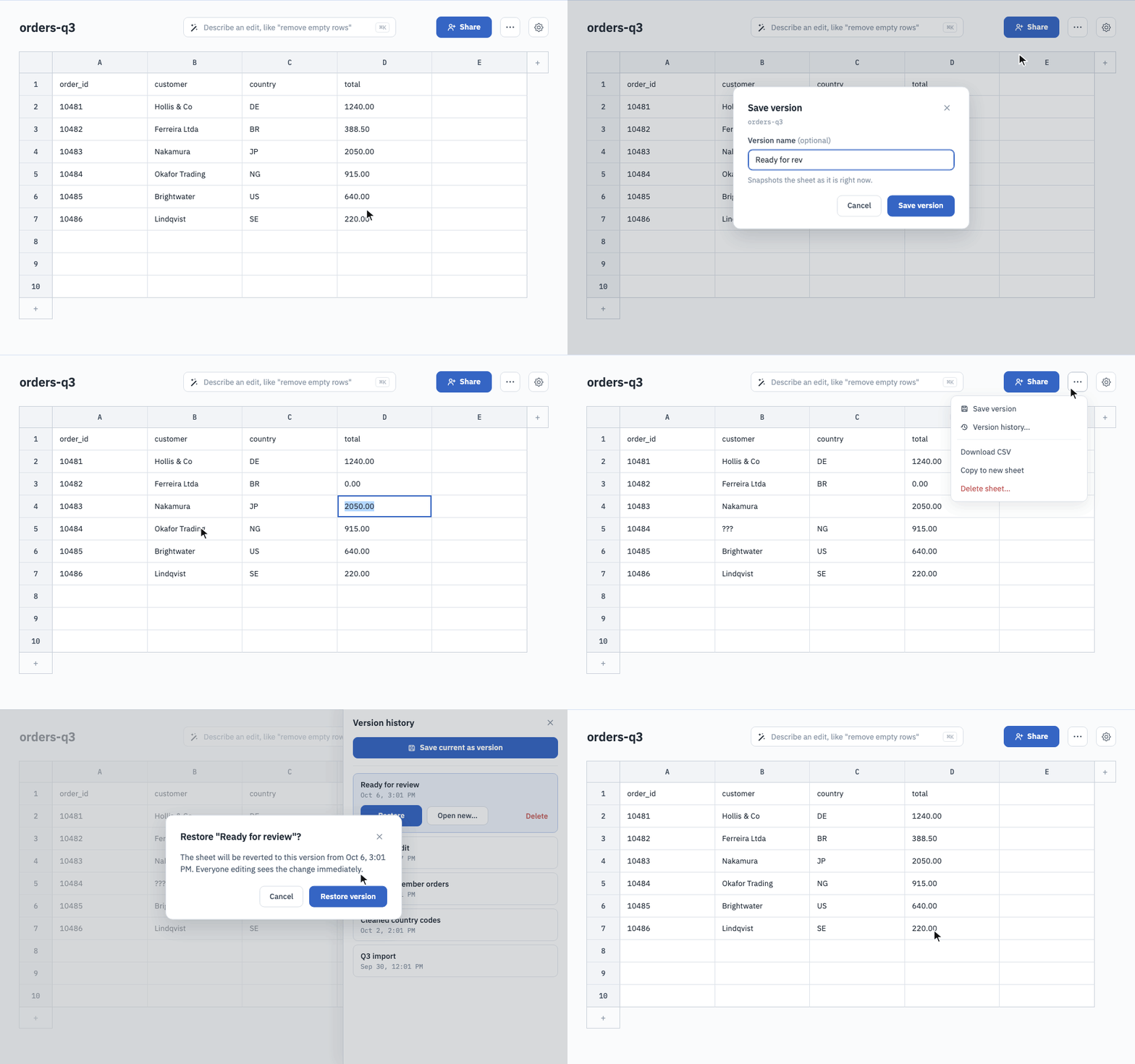
No more Q3_Orders-v3-FINAL_jenny_fix-EDITS.csv
Save a version before a big change and give it a name. Restore it in one click, or open it as a new sheet to compare. The history lives with the sheet, so nobody has to keep copies. Up to 50 versions per sheet.
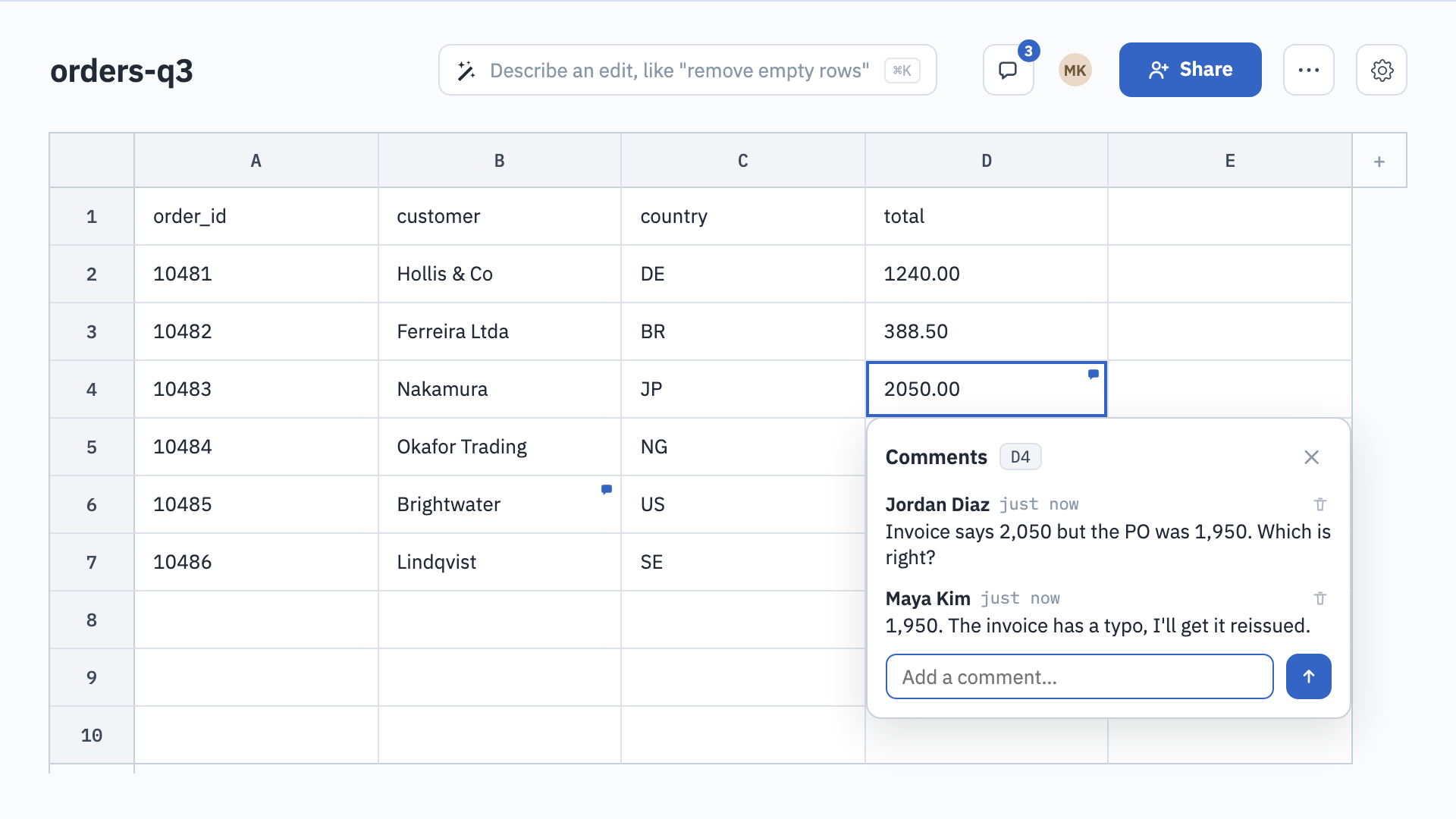
Leave a note right on the cell.
Pin a comment to any cell, or post one on the sheet as a whole. Everyone with the link can read and reply in place, so the conversation stays next to the data instead of in an email thread.
Every sheet is an endpoint. And a tool for your AI.
Read and write any sheet over a simple HTTP API, or connect WebCSV as an MCP server so Claude, Cursor, and other assistants can read, edit, and create your sheets for you.
read_sheetPull a sheet's rowsappend_rowsAdd rows everyone sees livereplace_rowCorrect a row in placecreate_sheetStart a new sheet from your assistantYour data stays a CSV. Your workflow gets everything else.
A free Basic account keeps your sheets forever. Pro adds the Magic Tool, version history, comments, templates, and API keys for $9 a month.